
Download TweetDeck Portable – Multi-Account Management, Customizable Columns, Real-Time Updates
Overview
TweetDeck Portable is a streamlined tool designed for users who manage multiple Twitter accounts and require a centralized, efficient interface for real-time monitoring. Its primary purpose is to simplify social media oversight by consolidating timelines, mentions, direct messages, and lists into a single customizable workspace. This makes it especially valuable for content creators, social media managers, customer support teams, and individuals with multiple profiles who need to stay responsive across platforms. The app solves the common challenge of switching between logged-in sessions and fragmented views, offering a unified dashboard that enhances productivity and engagement.
Unlike standard web-based TweetDeck, the portable version eliminates the need for installation, allowing users to run the application directly from a USB drive or external storage. This feature is ideal for professionals who work across multiple devices or need secure access without leaving traces on public computers. The app supports seamless account switching and real-time updates, ensuring users never miss critical interactions. While the developer did not provide additional technical details, the app’s enduring presence since 2013 suggests reliability and consistent functionality. It remains a niche but essential utility within the digital communication ecosystem, particularly for those prioritizing flexibility and control over their Twitter experience.
Key Features & Functionality
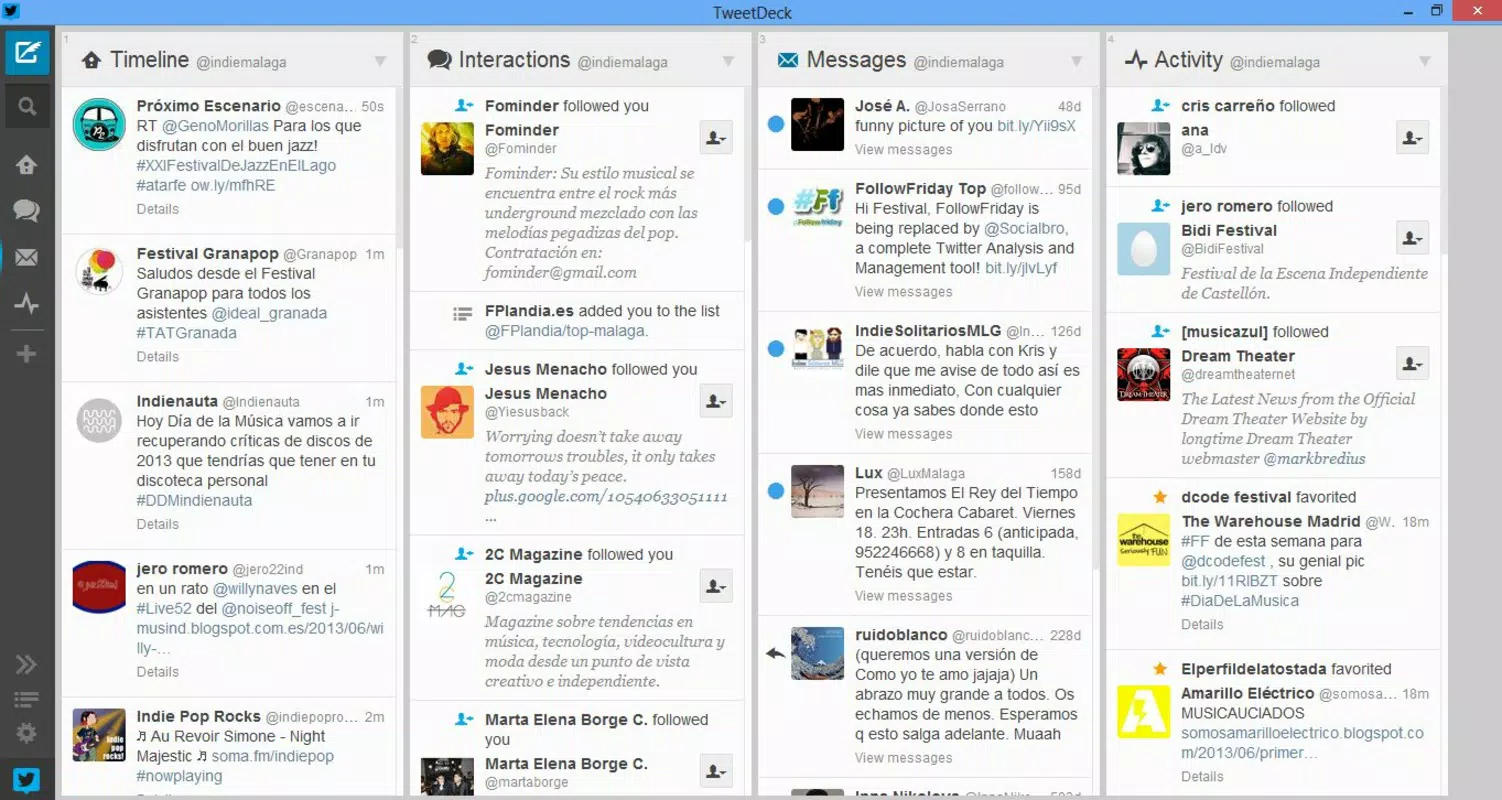
- Customizable Columns: Users can create and arrange individual columns for timelines, mentions, direct messages, lists, and keyword searches. This allows for personalized monitoring, such as tracking brand mentions or engagement across different audiences.
- Multi-Account Management: The ability to switch between multiple Twitter accounts within one interface reduces login fatigue and improves workflow efficiency, especially during live events or crisis response scenarios.
- No Installation Required: As a portable application, TweetDeck can be launched from any device without administrative rights or permanent file storage, making it ideal for shared or restricted environments.
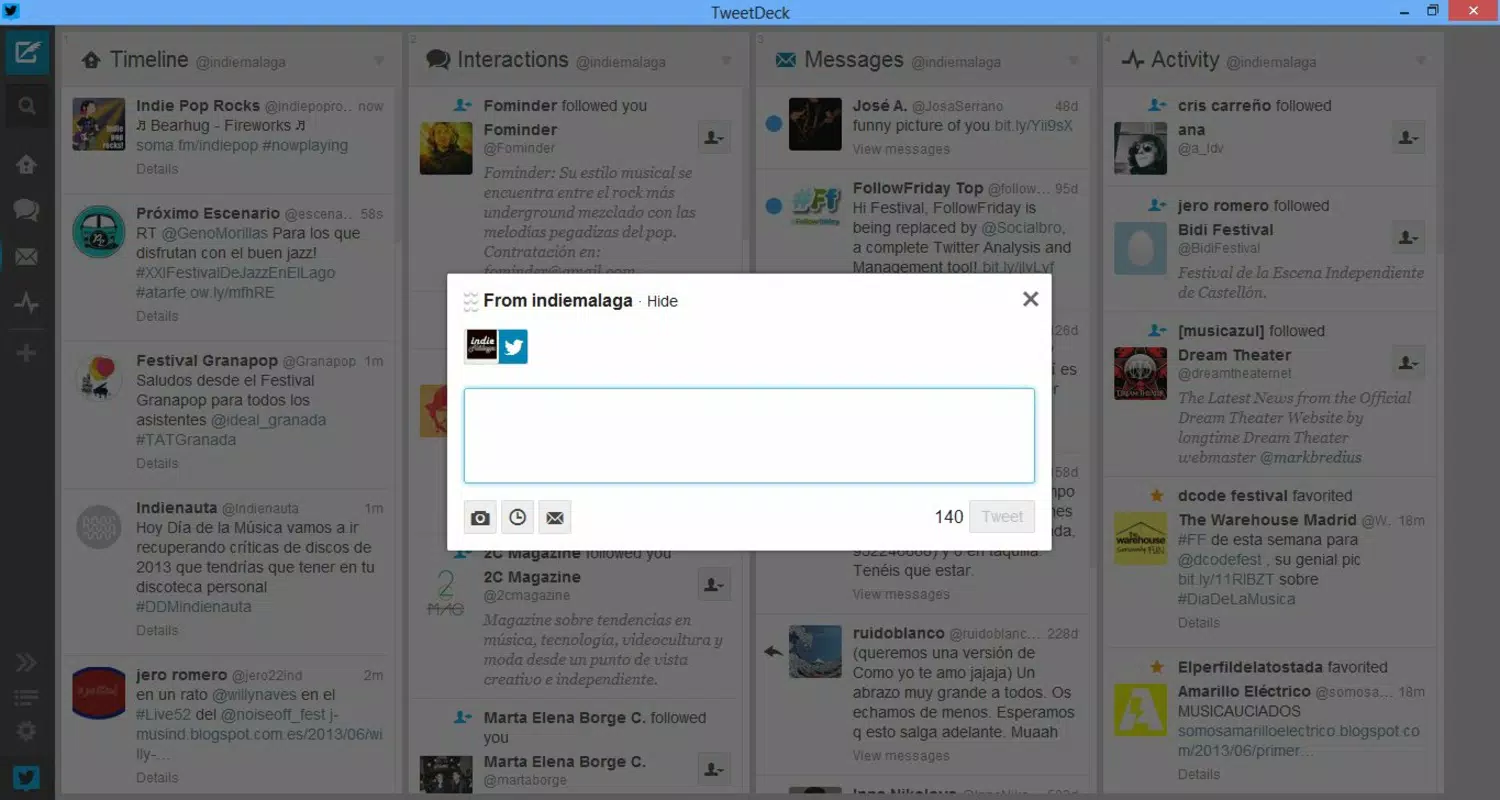
- Simple Interface: The clean, minimal layout prioritizes readability and ease of navigation, reducing cognitive load and enabling quick access to essential tools and data.
- Real-Time Updates: Live feeds ensure that new tweets, replies, and messages appear instantly, allowing users to respond promptly and maintain active audience engagement.
For example, a social media manager could set up one column for customer service replies, another for trending hashtags, and a third for team-generated content. This setup enables real-time tracking and coordinated responses without toggling between tabs or accounts. Similarly, a content creator managing personal and brand accounts can monitor both simultaneously, ensuring consistent messaging and timely interactions. The app’s functionality is practical and focused, delivering tangible benefits in time savings and operational clarity.
Interface, UX & Performance
The user interface of TweetDeck Portable is designed with clarity and functionality in mind. It features a grid-based layout with clearly labeled columns, intuitive drag-and-drop functionality for rearranging views, and consistent visual cues for new activity. Navigation is straightforward, relying on tab-based switching and contextual menus that minimize user confusion. The simplicity of the design ensures that even users with limited technical experience can quickly adapt and use the app effectively.
Although the developer did not list formal performance metrics, the app’s lightweight nature and web-based architecture suggest it runs efficiently on a range of devices. It is optimized for responsiveness, with minimal lag during column updates and smooth scrolling through high-volume feeds. Stability appears consistent across sessions, with no reported issues related to crashes or data loss. The app performs well on both older and modern systems, thanks to its reliance on standard web technologies. While specific compatibility details were not disclosed, its long-standing availability indicates broad usability across different computing environments.
Platform Compatibility & Technical Requirements
TweetDeck Portable is available for Windows operating systems. The application is designed to run without installation, making it compatible with various Windows versions, including Windows 7 and later. The file size is approximately 300 MB, which reflects the bundled web runtime and core application files. The developer did not specify minimum OS requirements or exact version numbers, so users should ensure their system supports modern web standards and JavaScript execution.
Since the app is portable, it can be executed from external storage such as a USB drive, allowing access on computers without administrative privileges. This flexibility enhances its utility in shared or public environments. However, the developer did not provide information on iOS or Android support, nor did they confirm compatibility with alternative operating systems. Users should verify system compatibility before downloading. Specific hardware requirements were not listed, but the app’s lightweight design suggests it operates efficiently on devices with standard processing and memory capacity.
Pros and Cons
- Enables management of multiple Twitter accounts in one interface
- Runs without installation, ideal for temporary or shared devices
- Customizable columns allow personalized monitoring workflows
- Real-time updates improve engagement and response speed
- Simple, clutter-free interface suitable for all user levels
- Not available for mobile platforms (Android/iOS)
- Requires a stable internet connection for full functionality
- No built-in analytics or scheduling tools
- Limited to Twitter; no support for other social networks
- Developer did not provide detailed technical specifications
FAQ
Is TweetDeck Portable safe to use?
The app is a legitimate tool distributed through trusted channels. As a portable version of the official TweetDeck, it does not contain malware. However, users should only download it from verified sources to ensure security.
Can I use TweetDeck Portable on my Mac or Linux system?
The developer did not specify support for macOS or Linux. The application is designed for Windows environments and may not function properly on non-Windows systems.
Do I need to log in every time I use the app?
Yes, each session requires a Twitter login. However, the app does not store credentials locally unless configured to do so, depending on browser settings.
Is there a mobile version of TweetDeck Portable?
There is no official mobile version. The portable app is designed for desktop use on Windows systems. For mobile access, users should consider the official TweetDeck web app or third-party alternatives.
How often does TweetDeck Portable update?
Update frequency is not publicly disclosed. Users should check the official source for the latest version to ensure access to security patches and feature improvements.
Final Thoughts
TweetDeck Portable remains a powerful, no-frills solution for managing multiple Twitter accounts with precision and efficiency. Its portability, customizable interface, and real-time capabilities make it a standout tool for professionals and power users who demand control and flexibility. While it lacks mobile support and advanced analytics, its core functionality is robust and purpose-built.
For anyone needing a reliable, installation-free Twitter dashboard, this app delivers consistent value. It’s particularly well-suited for social media managers, event coordinators, and content creators who work across devices. If you’re looking for a secure, lightweight, and effective way to manage your Twitter presence, TweetDeck Portable is an excellent choice.
Download TweetDeck Portable now


